
Securing Your Distributed Workforce: Essential Policies for Remote Work and IoT
The way we work has transformed, and for many technology-driven businesses, a distributed workforce is now the norm. Remote and hybrid models offer incredible flexibility, but they also expand your network perimeter significantly. Suddenly, your company’s digital boundaries extend into home offices, coffee shops, and even the Internet of Things (IoT) devices connected to your employees’ home networks.
For small to mid-sized businesses (SMBs) with lean IT teams, this shift can feel overwhelming. How do you maintain robust security when your team is spread across different locations and connecting through diverse environments? The answer lies in clear, actionable policies and smart security practices.
Let’s explore key strategies to secure your distributed workforce and the often-overlooked IoT landscape.
Building a Secure Bridge: VPNs and Zero-Trust Access
When employees access corporate resources from outside the office, you need a secure connection. Relying on standard internet connections leaves your data vulnerable to interception.
- Require Secure Access: It’s critical to mandate the use of a Virtual Private Network (VPN) or a Zero-Trust Network Access (ZTNA) solution for any corporate resources accessed offsite. VPNs encrypt traffic and route it through your corporate network, creating a secure tunnel. ZTNA takes this further, verifying every user and device before granting access to specific applications, regardless of location. This “never trust, always verify” approach minimizes the attack surface.
Device Management: Your First Line of Defense
Employee laptops, tablets, and smartphones are often the primary tools for remote work. Ensuring these devices are secure is fundamental.
- Enforce Device Management: Implement policies that require all work devices to have essential security measures. This includes active firewalls, up-to-date antivirus or endpoint detection and response (EDR) software, and full-disk encryption. Encryption protects data if a device is lost or stolen, making it unreadable to unauthorized individuals. Regularly verify that these protections are active and updated.
Fortifying the Home Front: Wi-Fi Security Best Practices
An employee’s home Wi-Fi network is now a critical part of your extended corporate network. Weak home network security can create an easy entry point for attackers.
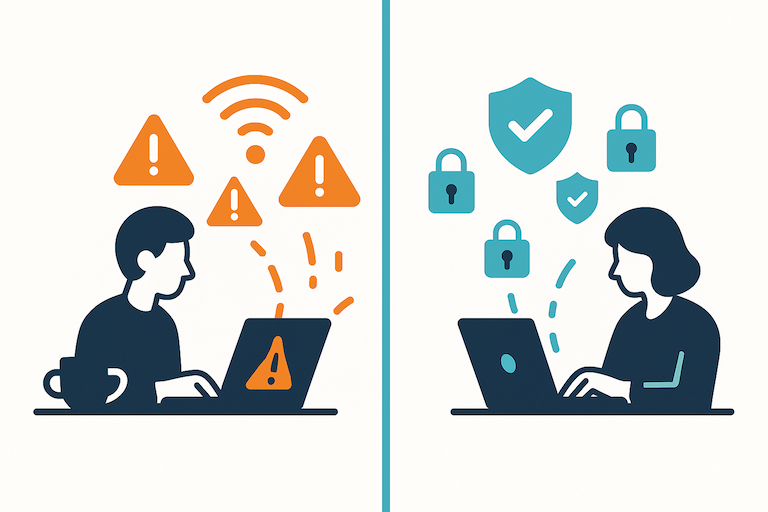
Public Wi-Fi is risky business—unless you're protected with a trusted VPN.
- Mandate Strong Home Router Security: Encourage or mandate employees to secure their home routers. This means changing the default administrator password to a unique, strong password. It also involves regularly checking for and applying firmware updates to the router. Firmware updates often patch security vulnerabilities that attackers could exploit.
Navigating Public Wi-Fi: Proceed with Caution
Public Wi-Fi networks, like those in cafes or airports, are notoriously insecure. They are often unencrypted, making it easy for malicious actors to swoop on data.
- Avoid Public Wi-Fi or Use a Trusted VPN: The safest policy is to avoid using public Wi-Fi for work-related tasks altogether. If it’s absolutely necessary, employees must use a trusted work VPN to encrypt their connection and protect their data from potential eavesdroppers. Without a VPN, sensitive corporate information could be exposed.
Taming the IoT Wild West: Securing Smart Devices
Printers, smart speakers, security cameras, and even smart light bulbs are common in home environments. While convenient, these Internet of Things (IoT) devices can be surprisingly vulnerable and act as backdoors into a network if not properly secured.
- Isolate IoT Devices: Implement policies that encourage or require the isolation of IoT devices. The best practice is to place them on a separate VLAN (Virtual Local Area Network) or a guest network. This segregates them from the primary network used for work, preventing a compromised IoT device from being used to access sensitive corporate data or systems. Regularly update IoT device firmware and change default passwords.
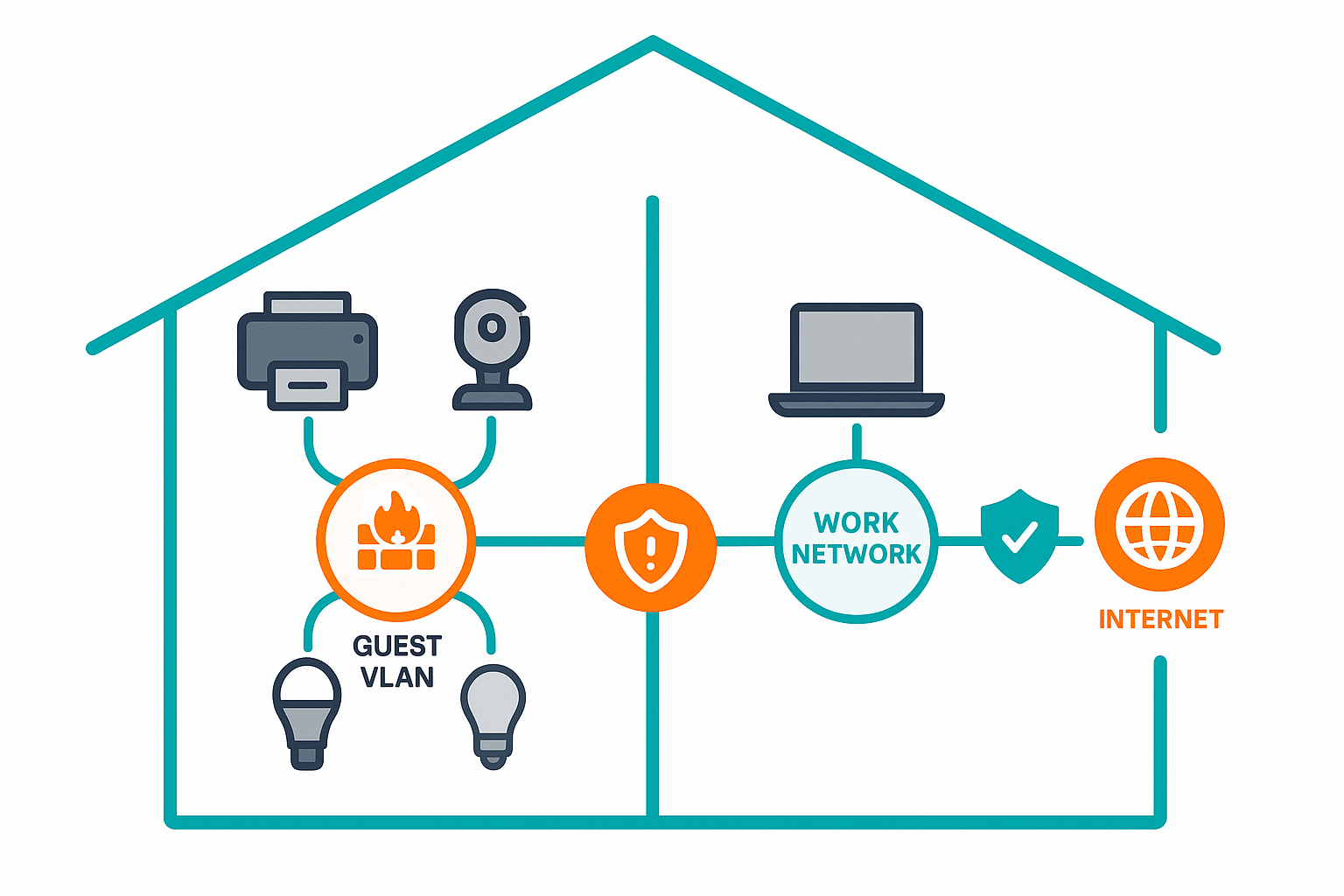
Segregate smart devices to minimize IoT security risks at home.
Educating Your Remote Team: The Human Firewall
Technology is only part of the solution. Your employees are your most important security asset, and their awareness is paramount.
- Educate Remote Workers on Physical Security: Conduct regular training sessions on physical security best practices. This includes reminding employees to always lock their computer screens when stepping away, even at home. Educate them about “shoulder surfing” – the act of someone looking over their shoulder to steal information – and the importance of being mindful of their surroundings when working in public spaces.
Proactive Policies for a Resilient Future
Securing a distributed workforce and the accompanying IoT landscape requires a proactive, policy-driven approach. By implementing clear guidelines around secure access, device management, home network hygiene, public Wi-Fi use, IoT isolation, and employee education, you can significantly reduce your organization’s risk profile. These policies don’t have to be overly complex; they simply need to be actionable and consistently reinforced to build a strong security posture for your evolving business.