
Beyond the Perimeter: How Small Businesses Can Embrace Zero Trust
The old ways of cybersecurity just don’t cut it anymore. Remember when we thought a strong firewall and antivirus were enough? Those days are long gone. Cyber threats are more sophisticated than ever, and they’re not always coming from outside your network. Sometimes, the biggest risks can lurk within.
This is where Zero Trust Architecture comes in. It’s a modern security model that’s gaining a lot of traction, and for good reason. You might think Zero Trust is only for massive enterprises with huge security budgets and dedicated teams, but that’s not the case. Small and mid-sized businesses (SMBs), especially those driven by technology like SaaS startups, e-commerce companies, or digital agencies, can absolutely benefit from adopting its core principles.
So, what exactly is Zero Trust, and how can your lean team start implementing it? Let’s dive in.
What Exactly is Zero Trust?
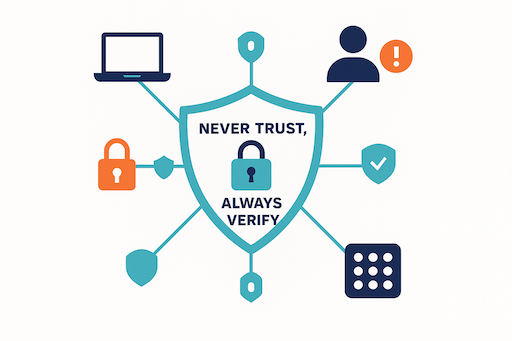
Zero Trust architecture means verifying every access request—no more default trust, even inside the network.
The fundamental idea behind Zero Trust is simple: “Never trust, always verify.” Forget the idea of a “trusted” internal network where anything goes once you’re inside. With Zero Trust, every user, every device, and every application attempting to access your resources is treated as if it’s coming from an untrusted network, regardless of its location.
This means continuous verification. Instead of a one-time check at the perimeter, Zero Trust demands that identities and endpoints are continuously authenticated and authorized before granting access to any resource. It’s about granular control and ensuring that only what’s absolutely necessary is accessible.a
Practical Steps for Small Teams
Implementing Zero Trust might sound daunting, but you can start with practical, manageable steps. It’s a journey, not a single destination.
Microsegmentation: Divide and Conquer
Imagine your network as a large open office. If a threat gets in, it can roam freely. Microsegmentation is like putting walls and locked doors around every department, or even every desk. It involves breaking down your network into smaller, isolated zones. Each zone has its own security controls, limiting what can communicate with what.
Why is this important for SMBs? If a breach occurs in one segment, the attacker’s ability to move laterally across your network is severely restricted. This minimizes the damage and makes it easier to contain and eradicate threats. You can start by segmenting critical applications or sensitive data stores.
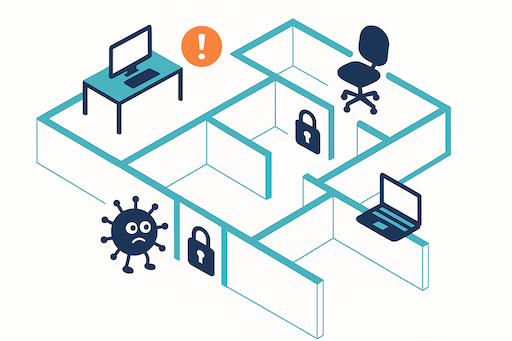
Microsegmentation blocks lateral movement—if attackers get in, they can’t roam freely.
Strong Authentication on Every Resource
The “never trust” part of Zero Trust means that even internal traffic isn’t automatically trusted. This requires robust authentication for every access attempt to every resource. Multi-factor authentication (MFA) is your best friend here. It adds an essential layer of security beyond a password, making it much harder for unauthorized users to gain access.
Apply MFA not only to your user logins but also to access sensitive applications, databases, and cloud services. This ensures that even if credentials are stolen, the attacker can’t get far without that second factor.
Device Security Posture Checks
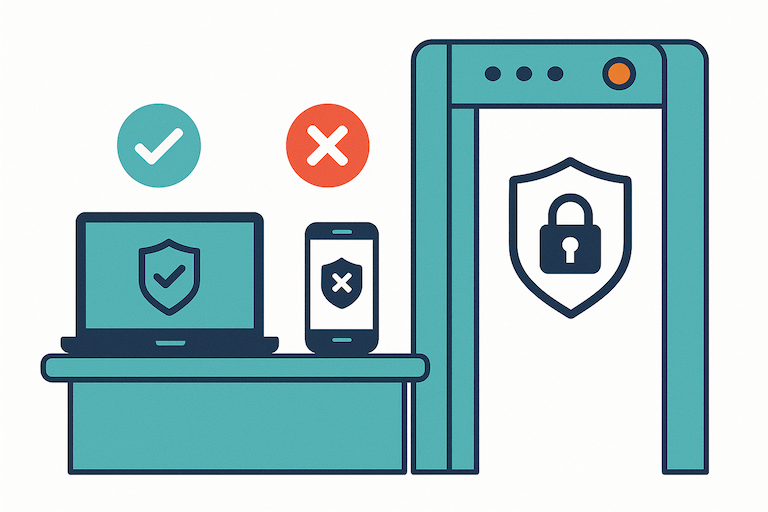
Only healthy, secure devices should be allowed into your digital workspace.
Before a device (like a laptop or a mobile phone) is allowed to connect to your network or access corporate resources, you need to verify its health. This is called a device security posture check. Does it have the latest operating system updates? Is the antivirus software running and up-to-date? Is it configured securely?
By enforcing these checks, you ensure that only compliant and secure devices are accessing your valuable data. This significantly reduces the risk of malware or vulnerabilities on an endpoint compromising your entire system.
Leveraging Cloud Tools for Simplicity
For lean IT teams, the good news is that many cloud-native tools make implementing Zero Trust principles more accessible than ever. Cloud identity providers (IdPs) like Okta, Azure Active Directory, or Google Workspace offer robust identity and access management features.
These platforms often include conditional access policies, which are powerful tools for Zero Trust. They allow you to define rules that dictate when and how users can access resources based on factors like user identity, device health, location, and application sensitivity. This automates much of the “always verify” process, making it manageable even with limited internal resources.
Starting Your Zero Trust Journey
Embracing Zero Trust Architecture is a strategic move that enhances your business’s security posture significantly. It helps mitigate the fear of forgotten or unpatched systems and addresses growing compliance obligations by providing documented evidence of risk management.
While it’s a continuous process, starting with these core principles—microsegmentation, strong authentication, device health checks, and leveraging cloud tools—will set your small business on a path to a much stronger, more resilient security framework. It’s about building a defense that’s ready for today’s complex threat landscape, ensuring your digital future is secure.